You open GA4 on Monday morning and see it: ChatGPT referral traffic is down. Your rankings look fine, so what happened?
Before you rewrite your content strategy, stop and check the data. In many cases, a ChatGPT traffic tracking problem is the real story, not a loss of visibility.
I ran into this myself while monitoring a site in Google Analytics 4. In one month, ChatGPT referral visits fell from 100 to 60. Organic search traffic stayed stable. That mismatch is what made me dig deeper instead of reacting.
In this guide, I’ll share what I checked, what I found, and a simple process you can follow.
Image placement 1 (below the introduction): a GA4 report showing a dip in referral traffic.
- Image prompt: A clean illustration of an analytics dashboard with a line chart dipping slightly, a magnifying glass hovering over the dip, flat modern style, blue and white palette.
- Alt text: Analytics dashboard showing a ChatGPT traffic tracking problem as a dip in referral visits
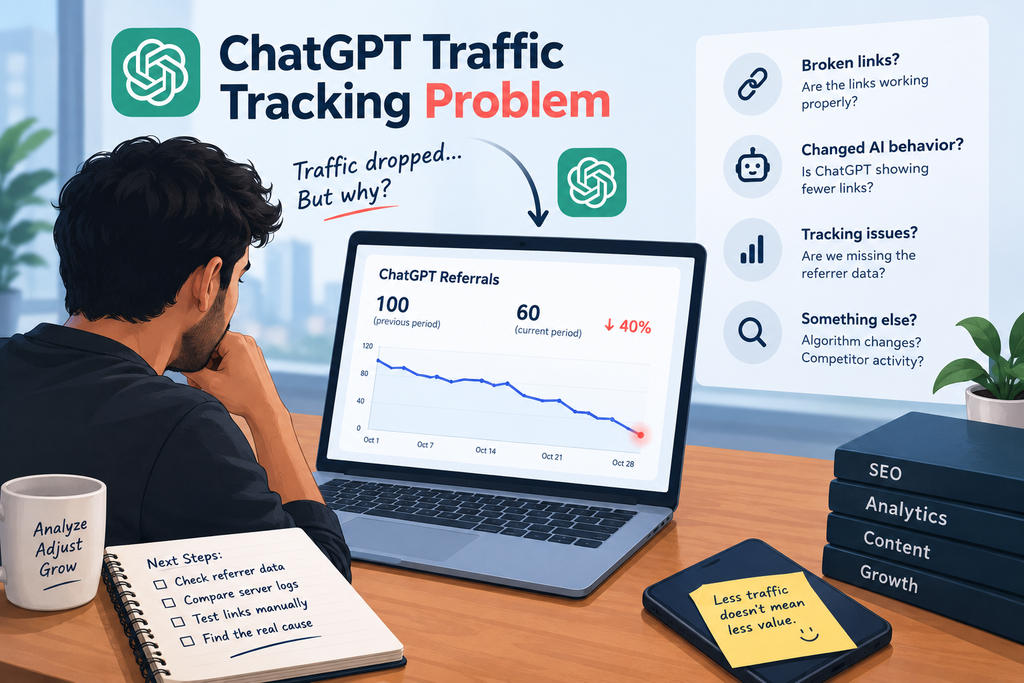
Table of Contents
- Introduction to ChatGPT Traffic Tracking
- What Is ChatGPT Referral Traffic?
- Why Is ChatGPT Traffic Dropping?
- Common ChatGPT Traffic Tracking Problems
- Broken or Missing Referral Links
- Changes in ChatGPT Link Behavior
- Google Analytics Tracking Issues
- Missing Referrer Data
- Server Log Discrepancies
- How to Track ChatGPT Traffic in Google Analytics 4 (GA4)
- How to Investigate a Sudden Drop in ChatGPT Traffic
- How to Compare Referral Traffic with Direct Traffic
- How to Check Referral Data and Server Logs
- How to Test ChatGPT Links Manually
- Common Mistakes to Avoid When Analyzing Traffic Drops
- Best Practices for Accurate AI Referral Traffic Tracking
- Conclusion
Why a ChatGPT Traffic Drop Isn’t Always a Real Drop
A falling line in your report feels like bad news. But a drop in recorded visits is not the same as a drop in actual visits.
AI search traffic is still messy to measure. Here is why:
- Referrer data can go missing. Some visits arrive without the referral information GA4 needs to label them correctly.
- Sources can be recorded differently. The same visitor may show up under referral, direct, or an unassigned bucket depending on how the click happened.
- User behavior changes. People may read an AI answer, then type your brand name into a search bar later. That visit looks like organic or direct, not ChatGPT.
- Links are not always clickable. Sometimes the AI mentions your site and the reader simply never clicks.
So a ChatGPT traffic drop can mean fewer clicks, fewer mentions, or simply fewer visits that your analytics can label. You can’t tell which until you investigate.
What I Saw in My Own GA4 Data
Here is the situation I monitored:
| Metric | What happened over one month |
| ChatGPT referral visits | Dropped from 100 to 60 |
| Organic search traffic | Stayed relatively stable |
| Direct traffic | Stayed relatively stable |
The last row surprised me. Many people assume missing referral traffic is hiding inside direct traffic. That is a popular explanation for direct traffic misattribution, and it does happen. But in my case, direct traffic did not rise to make up the gap.
That ruled out the easy answer. The missing visits were not simply moving to a different channel.
A note on limits: this is one site and one month of data. A sample this small can’t prove a cause. It only shows why you should test before you conclude.
On-page SEO details
- SEO title: ChatGPT Traffic Tracking Problem: Is Your Drop Real?
- Meta description: Seeing a ChatGPT traffic drop in GA4? It may be a ChatGPT traffic tracking problem, not an SEO issue. Here’s how to check it step by step before you panic.
- URL slug: /chatgpt-traffic-tracking-problem
- Primary keyword: ChatGPT traffic tracking problem
- Secondary keywords: ChatGPT referral traffic, GA4 attribution, AI search traffic, direct traffic misattribution, UTM parameters, LLM referral tracking
- Schema recommendation: Article + FAQPage (the FAQ section below)
How to Investigate a ChatGPT Traffic Tracking Problem
Here is the process I followed. You can repeat it on your own site.
Step 1: Compare channels side by side
Open the Traffic Acquisition report in GA4. Look at ChatGPT referral traffic, direct traffic, and organic search traffic for the same dates.
If referrals drop while direct jumps, you may have an attribution issue. If everything else is flat, as in my case, the question stays open.
Step 2: Check landing pages and engagement
Next, review which pages lost visits. Ask yourself:
- Did the drop hit one page or many pages?
- Did engagement metrics change for the visits that remain?
- Did the pages that lost traffic change recently?
A drop on one page points to a page-level issue. A drop across the site points to a wider cause.
Step 3: Test your links from ChatGPT
This step is easy to skip, and it is one of the most useful. Ask ChatGPT a question your page should answer, click your link, and see how the visit appears in GA4.
Check whether the source and referral information come through correctly. If your own test visit is labeled wrong or not labeled at all, you’ve found a real tracking gap.
Step 4: Review UTM parameters where available
UTM parameters can help label traffic clearly. Some AI tools add their own tags to outgoing links, which makes ChatGPT referral traffic easier to spot. Check whether those tags appear in your landing page URLs, and don’t rely on them alone, since not every visit will carry one.
Step 5: Compare a longer time range
A short window can mislead you. Compare several weeks or months before you decide whether the drop is temporary or a trend. I did this before drawing any conclusion, and it kept me from overreacting.
Step 6: Compare against server logs
Server logs record requests to your site, independent of GA4. They can show visits that your analytics missed.
I’ll be honest here: I considered this step but did not run it on this site. If you can, do it. It is the strongest way to separate a tracking issue from a true decline.
Quick Guide: What Your Pattern Might Mean
| What you see | Possible meaning | What to do next |
| Referrals down, direct up | Likely attribution shift | Check referrer data and UTM tags |
| Referrals down, everything else stable | Unclear: tracking gap or real decline | Test links, then check server logs |
| Referrals down, organic down | Possible real visibility or SEO issue | Audit rankings and content |
| Referrals fluctuate week to week | Normal volatility at small volumes | Compare a longer period |
Treat this table as a starting point. Your site, audience, and setup may behave differently.
The Biggest Mistake I See
The most common mistake is assuming a ChatGPT traffic drop means your SEO is getting worse.
It might. But it might not. In my case, organic traffic held steady while ChatGPT referrals fell. If I had blamed my SEO, I would have wasted time fixing something that wasn’t broken.
Instead, work through the evidence:
- Check referral data first.
- Compare traffic across channels.
- Review analytics against server logs.
- Decide whether the cause is fewer referrals, a tracking issue, or changing user behavior.
- Only then choose what to fix.
Practical Tips for Tracking AI Search Traffic
Small habits make this much easier over time:
- Track AI referral traffic separately. Don’t bury it inside a general referral report. A custom segment or channel group makes trends visible.
Do not use any single measure. A single number doesn’t speak for all the facts.
• Make sure links that you control (links in your own profile or content shared) are clearly UTM tagged.
Maintain a change history. Add notes about site changes, content changes, tracking changes to match with dips.
Check once a month, not every day. The small numbers wield great influence. A drop from 100 to 60 sounds large, but it’s tiny volumes that come with a lot of noise.
Image placement 2: a simple flowchart of the investigation (before process steps).
• Image prompt: Minimal flow chart steps to compare channels to view server log soft blue and gray tons, flat design.
The generated steps to investigate a ChatGPT traffic tracking issue in GA4 are shown in a flowchart.
Video/embed suggestion: A short screen capture of the GA4 Traffic Acquisition report filter by source.
Frequently Asked Questions
So why is my ChatGPT referral traffic so low in GA4?
In many instances, it’s because of restricted referral data. Some visits do not include source information so GA4 cannot identify them as ChatGPT visits. Try out links and compare channels to see.
Can ChatGPT traffic show up as direct traffic?
Yes, it can. Direct traffic misattribution occurs when there’s no valid referrer for the visit. But it isn’t a given. In my case, direct traffic remained unchanged, so all the lost traffic wasn’t just “under the radar”.
Will my SEO suffer if there is less traffic from ChatGPT?
Not necessarily. See if there were any changes in organic search traffic and rankings as well. If they are stable, it could be caused by tracking limitations or user behavior.
What is a better way to measure ChatGPT referral traffic?
Create a new view for AI traffic in GA4, leverage UTM parameters (where applicable), and compare with server logs.
What is the time frame for a drop for which I should wait before taking the next step?
Compare multiple weeks of data at least. A few short windows with a few small numbers can make a big impression without adding a lot of meaning.
The final step: Check, fix.
A ChatGPT traffic tracking issue can appear exactly like a real decrease. Investigating is always the first step before reacting, and that is why.
These are your tips:
Compare the ChatGPT referrals to direct and organic traffic.
• Test your own links to determine how they appear in GA4.
Consider a longer time period before reaching a conclusion.
When you need another source of truth, use server logs.
No more sharing AI search traffic.
AI referral tracking is still in its infancy, and there is no foolproof way. Treat your numbers as a guide–not a verdict!
Internal link suggestions (min. 1): Connect “GA4 Traffic Acquisition report” to your own guide on how to setup the Dashboard in GA4, and connect “organic search traffic” to your SEO audit post.
external link :https://en.wikipedia.org/wiki/Best
Authoritative external reference (do-follow): Google’s own Analytics Help Center on the classification of traffic sources to GA4 (https://support.google.com/analytics). Before publishing, please refer to the help article for the exact traffic source dimensions.
Looking for a best trusted digital marketing expert in kochi I help local businesses, startups, and growing brands get found online, attract the right customers, and turn clicks into real sales. With hands-on experience in SEO, Google Ads, social media marketing, content strategy, and lead generation, I build tailored campaigns that fit your goals and budget. Whether you run a restaurant in Fort Kochi, a clinic in Edappally, or an online store serving all of Kerala, my data-driven approach ensures measurable growth, higher rankings, and a stronger brand presence. If you want a digital marketing partner who understands the Kochi market and delivers results, let’s connect and grow your business together.